
Question.AI - Chatbot&Math AI
D3 DIMENSION TECHNOLOGY PTE.LTD.Education
4.612.88K Reviews
- Version
- 3.5.6
- Installs
- 10.00M
- Age Rating
- Everyone
Screenshots
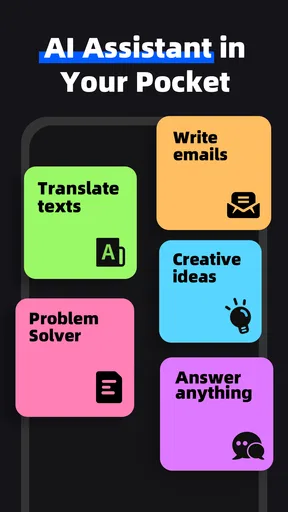

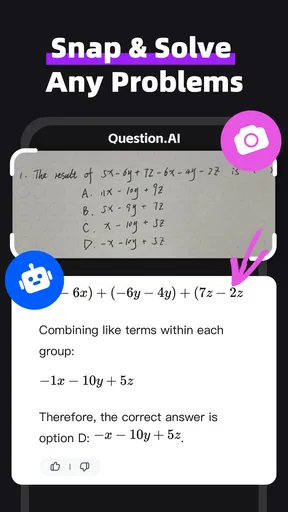
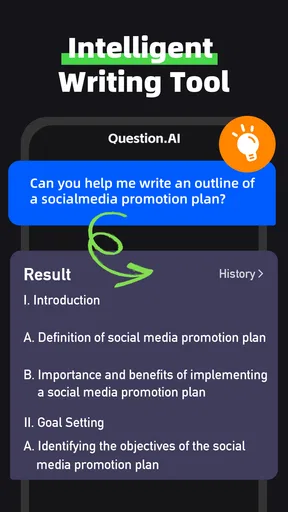
Our Review of Question.AI - Chatbot&Math AI
 Analysis by Appyee
I find the most useful way to approach Question.AI is as a quick place to ask a question and work through a problem, rather than as an authority that should replace checking your work. Its education focus makes sense when I have a specific point of confusion: I can put the problem into words, ask for help, and use the reply to decide what to review next. That small shift matters. The goal is not simply to collect an answer; it is to turn a stuck moment into a clearer next step.
For a student, that might mean asking why a particular algebra step follows, then trying a similar example without assistance. For an adult brushing up on a subject, it could mean getting a plain-language explanation before returning to a textbook. I would keep the original question visible and compare the explanation with class notes or a trusted reference, especially when a result will be graded or used in important work. AI can sound assured even when a response needs checking, so treating it as a study companion—not a final judge—is the sensible habit.
A small workflow that makes answers more useful
I get more value when I ask one focused question at a time. Instead of typing “help me with math,” I would include the expression and say what part is confusing: choosing a method, understanding a sign change, or checking a final result. If the first answer is too broad, a follow-up such as “explain that step in simpler terms” or “show why this operation is allowed” gives the conversation a clearer direction. This is a practical way to make a chatbot feel less like a search box and more like a patient explainer.
There is also a useful learning trade-off here. Asking for a complete solution can get a task moving, but it can hide the exact skill the exercise is meant to practise. When I want to learn, I would first ask for a hint or for an explanation of the method, then attempt the calculation myself. I would use the full answer as a check afterward. That approach preserves the convenience of instant help without turning every homework question into passive copying.
Where a scan-and-ask tool fits into a study day
The app’s scan-and-ask positioning is most appealing when a question is already on a page and retyping it would be a nuisance. In a realistic study session, I might be reviewing a worksheet at the kitchen table, hit a problem I cannot start, and use the app to ask about that exact sticking point. The useful outcome is not merely getting past one question; it is spotting whether I am confused by the wording, the underlying concept, or a step in the calculation. Once I know which of those is causing trouble, I can use my notes more effectively.
For a clear result, I would check that the captured question includes the full expression, relevant labels, and any instructions around it. A cropped or unclear prompt can lead to an answer to the wrong problem, and that is easy to mistake for a reasoning error. If the scan is ambiguous, typing the key details and describing the part I need help with is a better fallback than repeatedly trusting an incomplete capture. This is especially important for equations where a missing sign, exponent, or bracket changes the answer.
How it compares with familiar study tools
Compared with a conventional search engine, a conversational assistant can be more convenient when I want an explanation tailored to a follow-up question rather than a page of links to sort through. Compared with a calculator, it can help put a calculation into words, but it is not the tool I would choose for a simple numerical check where a calculator gives a direct, dependable result. A textbook or teacher remains better for a planned sequence of lessons, careful curriculum coverage, and feedback that takes a learner’s history into account. Question.AI is most useful in the gap between those options: an immediate question that needs a conversational explanation.
That gap is not the same as a complete course. If I need a structured plan, repeated practice at a chosen difficulty, or a human to notice a misunderstanding I have not explained clearly, I would use a course, teacher, or other dedicated learning resource instead. The chatbot’s flexibility is a strength for spontaneous questions, but it also means I have to choose the next question and judge whether the response actually resolved the confusion.
Who is likely to get the most from it
I can see it suiting learners who are comfortable asking follow-up questions and want quick help while studying independently. It may also work for curious users who want to explore a topic through conversation instead of searching several sources. The app is free to install, is rated for Everyone, and is made by D3 DIMENSION TECHNOLOGY PTE.LTD. Its average rating is 4.7 from around 229,000 ratings, and it has over 10 million installs. Those figures suggest that it has reached a broad audience, though popularity cannot tell me whether a particular explanation will fit my needs.
It is less suitable for someone who wants every answer to be independently verified, a full teaching programme, or a substitute for professional advice. I would also avoid sharing sensitive personal details in casual prompts; questions can usually be phrased with only the information needed to solve them. If I am using it for school, I would follow the teacher’s rules on AI assistance and make sure I can explain any submitted work myself.
Cost, version, and a sensible first try
Question.AI is free, with in-app purchases ranging from $0.49 to $99.99 per item, so I would check the purchase details in the app before paying for anything and decide whether the extra value is clear for my own use. It was released on May 29, 2023, and version 3.3.32 supports Android 7.0 and later. Those details make it easier to judge compatibility and set expectations, but they do not change the basic test I would use: can it explain the kind of question I actually ask?
My practical first try would be one problem I already understand partly, not a high-stakes question or an entire assignment. I would ask for the reasoning, check it against a reliable source, and then try a related step on my own. If the explanation helps me do that, the app is earning its place as a study aid. If I need a carefully sequenced lesson or guaranteed correctness, I would choose a more suitable resource instead.
If you've ever wished you had a pocket-sized genius to help you with math problems or chat about anything under the sun, then Question.AI - Chatbot&Math AI is about to become your new best friend. I recently took this app for a spin, and let me tell you, it's like having a personal tutor and conversationalist rolled into one. Let’s dive into all the cool things this app offers and why it might just be the app you didn’t know you needed.
The Magic of AI-Powered Assistance
First off, let’s talk about the AI that powers Question.AI - Chatbot&Math AI. This isn’t just your run-of-the-mill chatbot; it’s a deeply intuitive tool that understands context and provides precise answers to a wide array of questions. Whether you’re stuck on a tricky algebra problem or curious about the distance between the Earth and Mars, this app is ready to assist.
Math Wizardry at Your Fingertips
One of the standout features of the app is its math-solving capabilities. You simply input your problem, and the AI gets to work, showing you step-by-step solutions. It’s like having a math tutor available 24/7. I tried a range of problems from basic arithmetic to more complex calculus, and the app handled them all with ease. If math gives you nightmares, this app is your dream come true.
Chatting with a Virtual Friend
But it’s not all about math! The chatbot is equally impressive when it comes to casual conversation. I spent some time chatting about everything from the latest movies to historical events. The bot is surprisingly knowledgeable and engaging, providing facts and opinions that make the conversation feel real and lively. It’s perfect for those times when you just want to chat with someone without any pressure.
User-Friendly Interface
What I loved about this app is how easy it is to use. The interface is clean and intuitive, making navigation a breeze. You don’t need to be tech-savvy to get the hang of it. Everything is laid out in a way that makes sense, so you can focus on what you’re there for—getting answers and having engaging conversations.
Customizable Experience
Another cool feature is the ability to customize the chatbot's personality. You can tweak settings to make the bot more formal or casual, depending on your mood. This added layer of personalization makes the interactions even more enjoyable and tailored to your preferences.
How I’d judge an answer
For me, the most important question is not whether an answer sounds polished, but whether I can follow the reasoning and check the result. A step-by-step solution is useful when the steps match the problem I entered; it is not proof on its own that the response is right. For unfamiliar topics, I would ask the app to clarify a term or explain a single transition, then compare that explanation with class material or another trusted source. If the reasoning still feels unclear, I would not treat confidence or fluent wording as a substitute for understanding.
This is also why I would use the app differently for practice and for quick curiosity. When practising, I would request help with the part I cannot solve and keep enough of the work for myself to learn the method. For a low-stakes question about a topic I am exploring, a conversational answer can be a convenient starting point. For a consequential decision, a graded submission, or a fact I need to rely on, I would verify it elsewhere.
When a conversation is better than a search
A search engine is still a better fit when I want to compare several sources, find an original document, or see where a claim comes from. The chatbot’s advantage is the back-and-forth: I can narrow a question, ask for a simpler explanation, and follow the thread without starting a new search each time. That convenience is real, but it can also keep me inside one answer’s framing. When a topic has competing interpretations, I would use the conversation to orient myself and then consult more than one source rather than letting a single generated reply settle the issue.
The same distinction applies to maths. A calculator is faster for checking arithmetic, while a teacher or textbook can build a subject systematically. The app sits between those familiar tools: it can turn a specific question into an explanation, but the learner still has to judge the quality of that explanation and decide what to practise next. That makes it handy for short study gaps, not a replacement for a full course.
Keeping a scan focused on the actual question
When I use a scanned prompt, I would take a moment to read the captured text before relying on an answer. A worksheet may include a diagram, a condition, or a line of instruction that changes what is being asked. If the response seems oddly unrelated, I would first recheck the question rather than assume the topic itself is difficult. Entering the missing context in a follow-up can be more efficient than starting over, provided I make the correction explicit.
A good habit is to separate “what is the answer?” from “why does this method work?” The first can help me check a result; the second is more useful when I need to solve the next problem independently. I would also avoid putting a whole page of unrelated questions into one request. Keeping each prompt narrow makes it easier to notice whether the answer addresses the exact task instead of drifting toward a general explanation.
What to expect before installing
The app is an education tool, but its conversational style may appeal just as much to someone who learns by asking questions as to a student working through exercises. It is free to download, while optional in-app purchases are available; I would look carefully at any purchase screen and decide whether a paid item solves a real need rather than paying simply because I use the app often. Its broad Everyone age rating is not a recommendation to accept every answer uncritically, particularly when a young learner is using it for schoolwork.
Compatibility is straightforward to check: version 3.3.32 requires Android 7.0 or later. The app was released on May 29, 2023, and its 4.7 average across around 229,000 ratings, alongside more than 10 million installs, indicates wide adoption. I still see those as context, not a guarantee of accuracy or a promise that every subject will be explained in the way I prefer. The more useful test is whether it handles my own questions clearly and helps me make progress without doing all the thinking for me.
Final Thoughts
So, what’s the verdict on Question.AI - Chatbot&Math AI? It’s a fantastic tool for anyone who needs a little help with math or enjoys chatting about various topics. The combination of powerful AI, user-friendly design, and customizable features makes it stand out in a sea of similar apps. Whether you’re a student, a professional, or just someone who loves learning and chatting, this app is definitely worth a download.
If you’re curious to see how it can fit into your life, go ahead and give it a try. It might just become your new favorite app!
Verdict
Strengths of Question.AI - Chatbot&Math AI
- Intuitive interface for easy navigation.
- Supports multiple languages seamlessly.
- Quick and accurate math problem solving.
- Customizable chatbot personality settings.
- Offline mode available for basic queries.
Limitations of Question.AI - Chatbot&Math AI
- Occasional lag in response times.
- Premium features behind a paywall.
- Limited support for complex equations.
- Requires constant updates for best performance.
- No voice command support yet.
Similar Picks in This Category
View All
Duolingo: Language Lessons
Duolingo4.7

Google Classroom
Google LLC2.8

Unacademy: Learn & Crack Exams
Unacademy3.2

Bible App for Kids
Life.Church4.4

Cake - Learn English & Korean
Cake Corp.4.7

Brainly: AI Homework Helper
Brainly4.5
Frequently Asked Questions
What is Question.AI - Chatbot&Math AI used for?
Question.AI - Chatbot&Math AI is designed to assist users with both general inquiries and complex mathematical problems. It combines a conversational chatbot feature with advanced math-solving capabilities, making it ideal for students, educators, and anyone needing quick answers or solutions.
Is Question.AI - Chatbot&Math AI free to use?
The app offers a free version with basic features accessible to all users. However, for more advanced functionalities, such as detailed step-by-step solutions or priority access to new updates, a premium subscription is available for a monthly or yearly fee.
How accurate is the math-solving feature in Question.AI?
The math-solving feature in Question.AI utilizes advanced algorithms to provide accurate solutions to a wide range of mathematical problems. While it is highly reliable, users are encouraged to double-check solutions for extremely complex equations or when using the app for critical academic purposes.
What platforms is Question.AI - Chatbot&Math AI available on?
Question.AI - Chatbot&Math AI is available on both Android and iOS platforms. Users can download it from the Google Play Store for Android devices and the Apple App Store for iOS devices, ensuring compatibility with a wide range of smartphones and tablets.
Does Question.AI require an internet connection to function?
Yes, Question.AI requires an internet connection to access its full range of features. The chatbot component relies on cloud-based AI to provide real-time responses, while the math-solving capabilities need online resources to ensure accurate and updated solutions.
